Monthly Meal Planner Printable
One-Minute Summary
This monthly meal planner printable gives you a full 30-day calendar grid to map out breakfast, lunch, and dinner for the entire month. See your whole month at a glance, spot patterns like leftover-heavy weeks, and plan around busy days. Print on U.S. Letter paper, hang it on the fridge, and reduce decision fatigue for weeks at a time. Works well after you've mastered weekly planning.
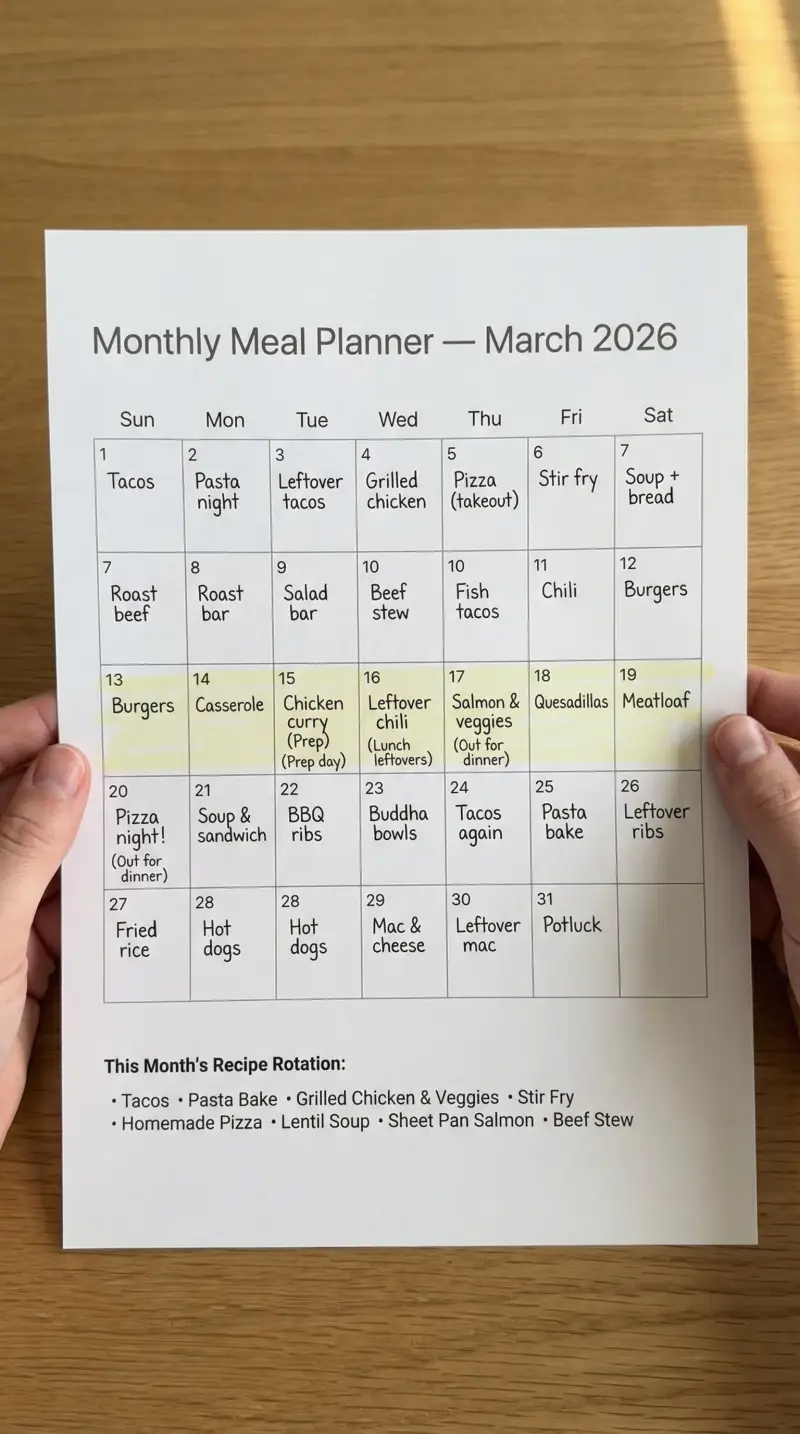
Preview & Download
Print Settings
- Paper: U.S. Letter (8.5" × 11")
- Orientation: portrait
- Scale: 100%
- Margins: Default (0.5")
What’s on this monthly meal planner
This planner uses a 30-day calendar grid—each date gets a row with space for breakfast, lunch, and dinner. Unlike a weekly planner, you see the whole month at once. That bird’s-eye view is what makes it useful: you spot busy weeks, align meals with pay periods, and reduce how often you sit down to plan.
Each field serves a clear purpose. The breakfast column exists because even repetitive breakfasts need to be accounted for—if you write “overnight oats” and draw an arrow down, you know you need oats in the pantry. The lunch column is where batch cooking shows up: “meal prep bowls” can repeat 4–5 times. Dinner is where you plan variety—but not 30 unique meals. Aim for 8–12 recipes and repeat. The notes area is for grocery cadence, theme weeks, or schedule flags like “soccer night—quick meal.”
How to use this planner — 3 real scenarios
Scenario 1: Family planning around school and sports schedules
Your kids have soccer Tuesdays and Thursdays. Those nights need 30-minute dinners—no elaborate recipes. You sit down at the start of the month, block out busy nights as “quick meal” or “takeout,” and plan bigger Sunday dinners when everyone’s home. The monthly view makes the rhythm obvious: batch-cook on Sundays, keep weeknights simple. By week 3 you’re not scrambling; you’re executing a plan you made when you had mental bandwidth. Tape the planner to the fridge so everyone sees what’s for dinner.
Scenario 2: Budget-conscious household aligning meals with pay periods
You get paid twice a month. Week 1–2 is fresh grocery week—new proteins, produce, full meals. Week 3–4 is pantry week—rice, beans, frozen vegetables, whatever’s left. The monthly planner lets you see both cycles on one page. Plan “big shop” dinners for days 1–14 and “pantry dive” dinners for days 15–30. No more surprise grocery runs when money is tight. The 30-day grid is your financial roadmap for food.
Scenario 3: Meal prepper advancing from weekly to monthly planning
You’ve used the Weekly Meal Planner for months and want less admin. The monthly version lets you plan 12 dinner recipes, assign them to dates, and repeat. You might do taco Tuesday and salmon Saturday every week—the monthly grid makes that pattern visible. Grocery trips become predictable; you shop twice a month instead of weekly. Transfer the month’s plan to a weekly view each Sunday if you need daily detail.
Example fill-out
Here’s what a realistic two-week block looks like:
Week 1 (dates 1–7): Breakfast: Overnight oats every day. Lunch: Meal prep chicken bowls Mon–Fri. Dinner: Monday—lemon chicken; Tuesday—black bean tacos; Wednesday—sheet pan salmon; Thursday—leftover tacos; Friday—takeout; Saturday—homemade pizza; Sunday—batch cook chicken, rice, roasted vegetables.
Week 2 (dates 8–14): Same breakfast and lunch pattern. Dinner: Monday—chicken stir-fry; Tuesday—pasta primavera; Wednesday—leftover stir-fry; Thursday—budget burgers; Friday—leftovers; Saturday—grill night; Sunday—batch cook again.
Weeks 3–4: Note “pantry week” in the margin. Repeat favorites, use frozen vegetables, minimal grocery trip. The monthly view makes this intentional instead of last-minute.
Common mistakes (and how to fix them)
-
Planning 30 completely unique dinners. You’ll burn out by week 2. Aim for 8–12 recipes and repeat them. Leftovers and “repeat” are valid entries. The goal is coverage, not creativity.
-
Ignoring your actual schedule. If you travel in week 2, don’t plan elaborate dinners for those nights. Block “away” or “minimal” so you don’t waste mental energy. The planner should reflect reality.
-
Treating the monthly plan as immutable. Things change. Cross out, move meals, swap days. A flexible monthly plan beats a rigid one you abandon. Pencil or erasable pen works well.
-
Skipping the grocery cadence. Monthly planning only works if you know when you’ll shop. Note “big shop” and “top-up” weeks so meals match your buying cycle. Pair with our Grocery List printable for organized shopping.
Customization tips
Print double-sided for multi-month view: Print two months, staple them together, and flip when the month turns. Some people keep a quarterly view—3 months in a binder—for longer-term planning.
Color-code by theme: Use highlighters—green for batch-cook days, yellow for quick meals, red for eating out. At a glance you see your month’s rhythm without reading every cell. Works well for visual planners.
Pair with weekly planner for detail: Use the monthly for the big picture and our Weekly Meal Planner for the week you’re in. Transfer the month’s plan to the weekly grid each Sunday for day-to-day execution. A practical combination.
Printing Tips
- Print on U.S. Letter (8.5" × 11") in portrait orientation
- Scale: 100% (do not use "Fit to Page")
- Margins: Default (0.5")
Next step in your meal prep workflow:
Related Templates You Might Need
Most people use 2–3 of these together:
- •
- •
- •
Helpful Guides
- •
- •
Frequently Asked Questions
Is monthly planning harder than weekly?
It requires more upfront thinking but less frequent admin. If you've never meal planned before, start with weekly. Once you have a rotation of 8–12 dinners you like, monthly becomes faster—you're assigning, not inventing.
What if I need to change plans mid-month?
Cross it out and write the new meal. The planner is a tool, not a contract. Flexibility is built in—most people make 3–5 changes per month and that's normal.
How do I handle grocery shopping with monthly planning?
Most people shop weekly or biweekly. Plan your meals around those trips. Week 1–2 might be 'fresh grocery' dinners; week 3–4 might be 'pantry and freezer' dinners. Note your shop dates on the planner.
Can I use this for a family of 4?
Yes. The layout works for any household—you're planning meals, not portions. For portion tracking, add notes in the margin or use a separate tracker.
Does this work with diet plans like keto or vegetarian?
Absolutely. The planner tracks what you're eating, not macros. Use your 8–12 recipe rotation within your diet. Pair with our Macros Tracker if you need to hit specific targets.